Hatsoff

For creators, social media managers, brands and agencies

See who really earns it

Hatsoff turns a public profile into clear answers: which posts take off, when to post, which topics work, how the account grows and how it compares with another one.

Coming soon to iPhone, iPad, Android and the web
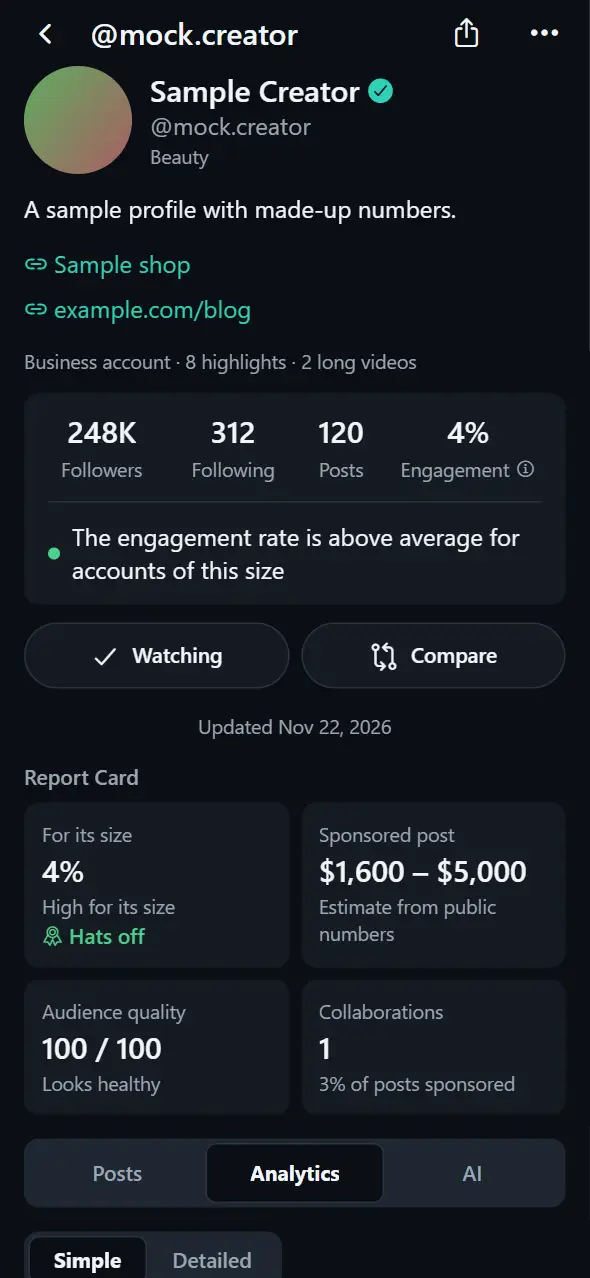
The Analytics tab of a profile in Hatsoff: its key numbers, and a line chart of its followers growing over 30 days.

Two ways in

Curious about an account?

Type any public handle and get its report card in a minute: how it does for its size, what a sponsored post is worth, how healthy its engagement looks, which brands it tags and labels as partners.

  • No account of your own needed
  • Reports from $2.99 for three, no subscription

Vetting creators for clients?

The Business plan adds the workflow: workspaces per client, shortlists with notes, campaign reports and media kits with your logo, and full reports on every profile.

  • 5 seats share the analyses
  • Reports and exports ready to send
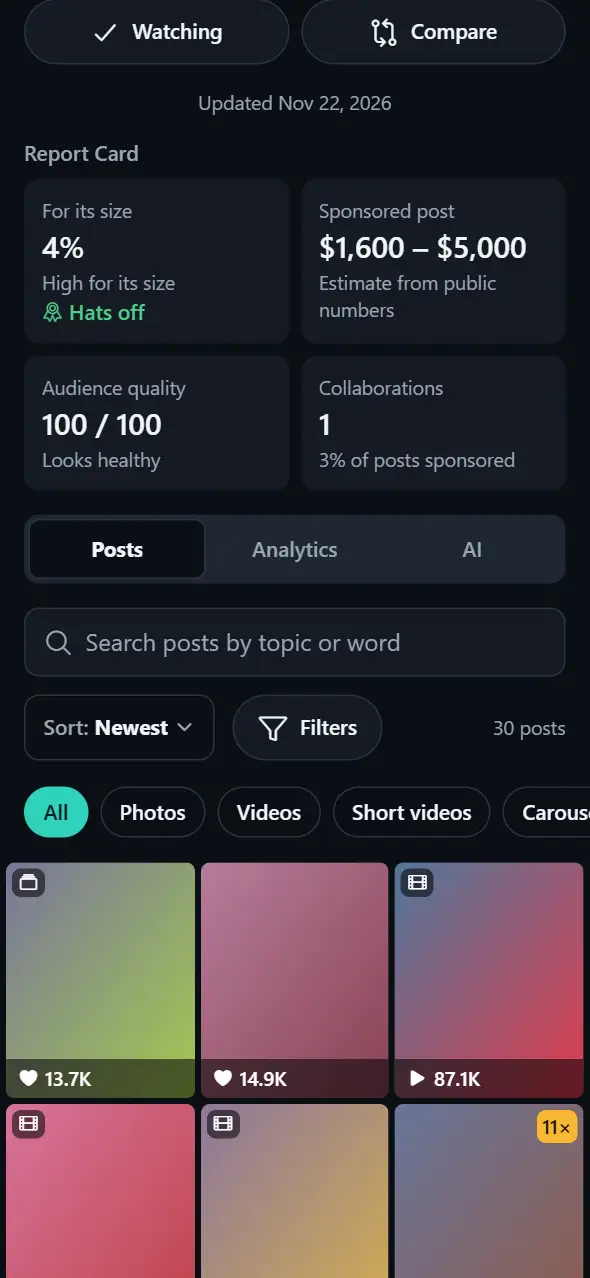
The report card of a profile: its engagement for its size, the estimated price of a sponsored post, audience quality and its brand collaborations.

What you get

Sort and search its latest posts

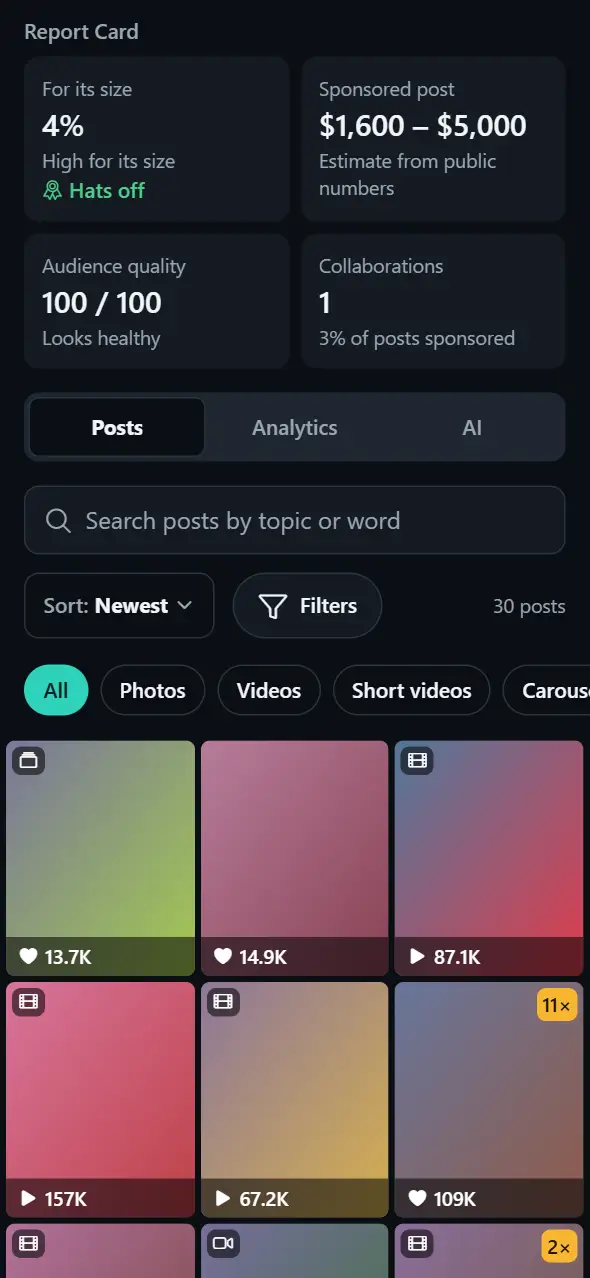
The latest 100 posts of a profile in one grid (200 in a deep report). Sort them by views, likes, comments or the biggest hits, and search by topic in your own language, even when the caption is in another.

  • Every post is measured against the profile’s own typical post, so a hit is a hit on any account size.
  • A badge marks the posts that did two times as well or better.
  • On Pro, search also finds what is said in a video.
The posts of a profile as a grid with view and like counts; badges mark the posts that did many times as well as a typical one.

Analytics in plain words

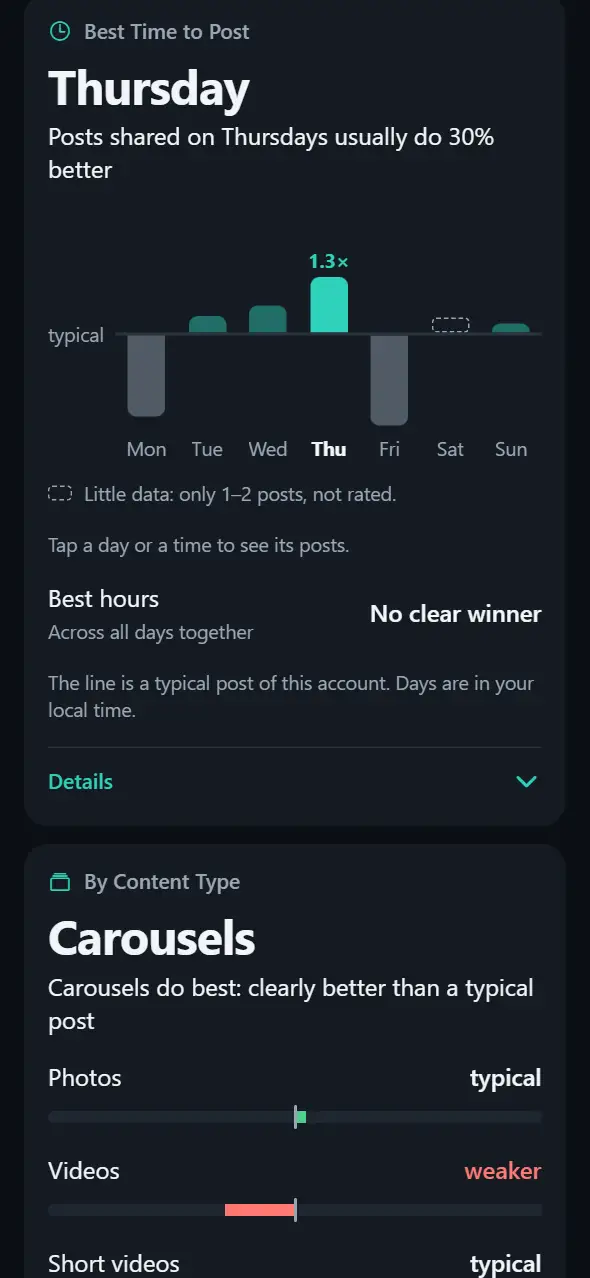
The best day and hours to post, the content type that works, the video length that gets views, what works in captions. One headline per card, the details a tap away.

  • A best day is named only when there are enough posts to say so.
  • When data is thin, a card says “not enough data” instead of showing a number.
  • The engagement rate comes with a verdict for an account of that size.
Analytics cards: the best day to post as a bar chart of the week, and which content type does best.

AI insights you can check

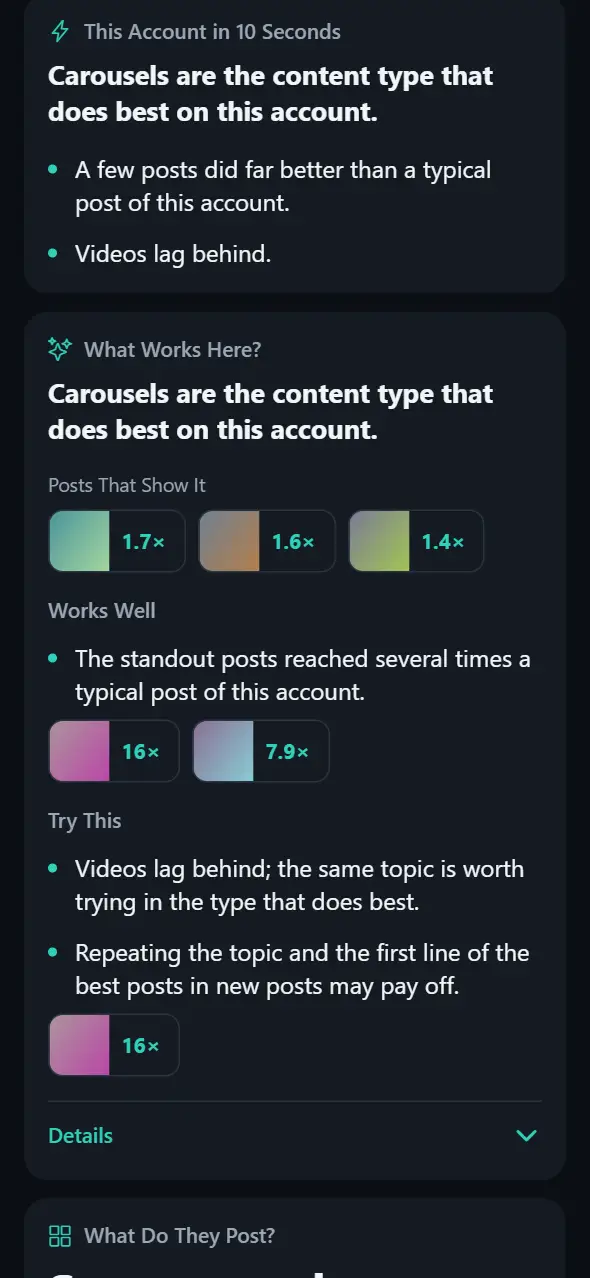
The account in ten seconds, what it posts about, post ideas with a first line, and a chat that answers from the account’s own posts.

  • Every claim comes with the posts that show it.
  • The best first lines of an account, grouped by kind.
  • Captions and video transcripts translated with one tap.
The AI tab: a short summary of an account, what works on it, and the posts that show it.

What the audience says

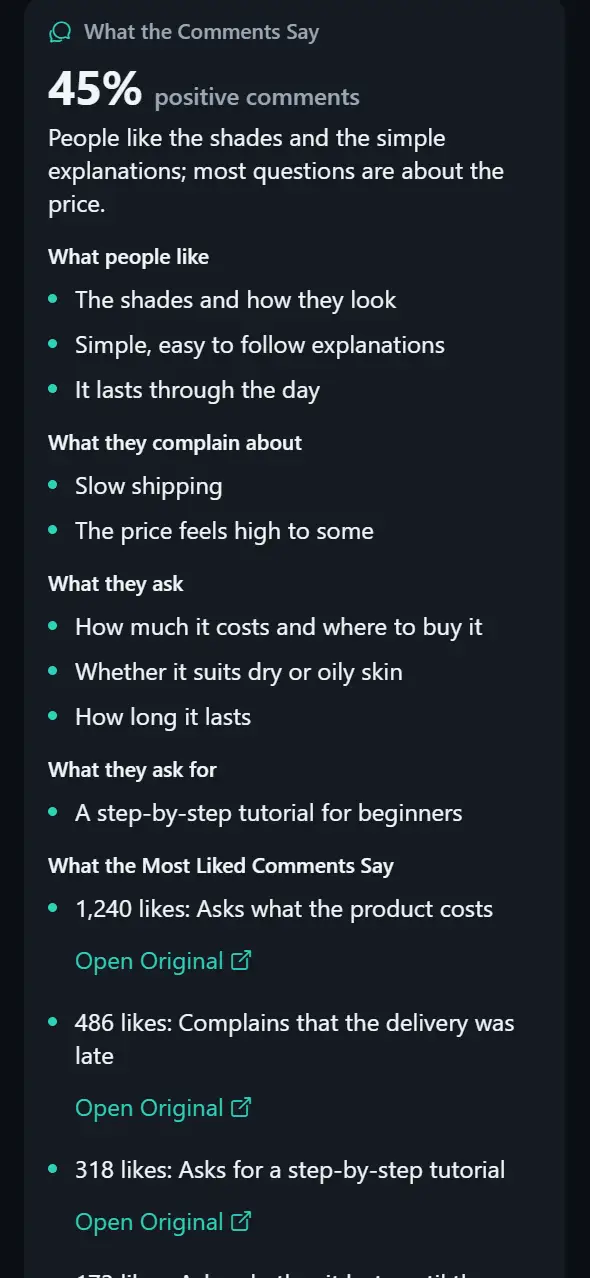
A comment analysis reads the newest comments under an account’s most discussed posts and tells you what people like, what they complain about and what they ask, down to what the most liked comments are about.

  • Aggregated and anonymous: no comment is quoted and nobody who wrote one is named or kept.
  • An extra you start yourself, from Basic: 4 credits for a profile, 1 credit for a single post, with the price shown before anything is read.
  • Too few comments to say anything? The credits come back.
The comment card of a profile: the share of positive comments, then what people like, complain about and ask in short lines.

The post viewer and pro filters

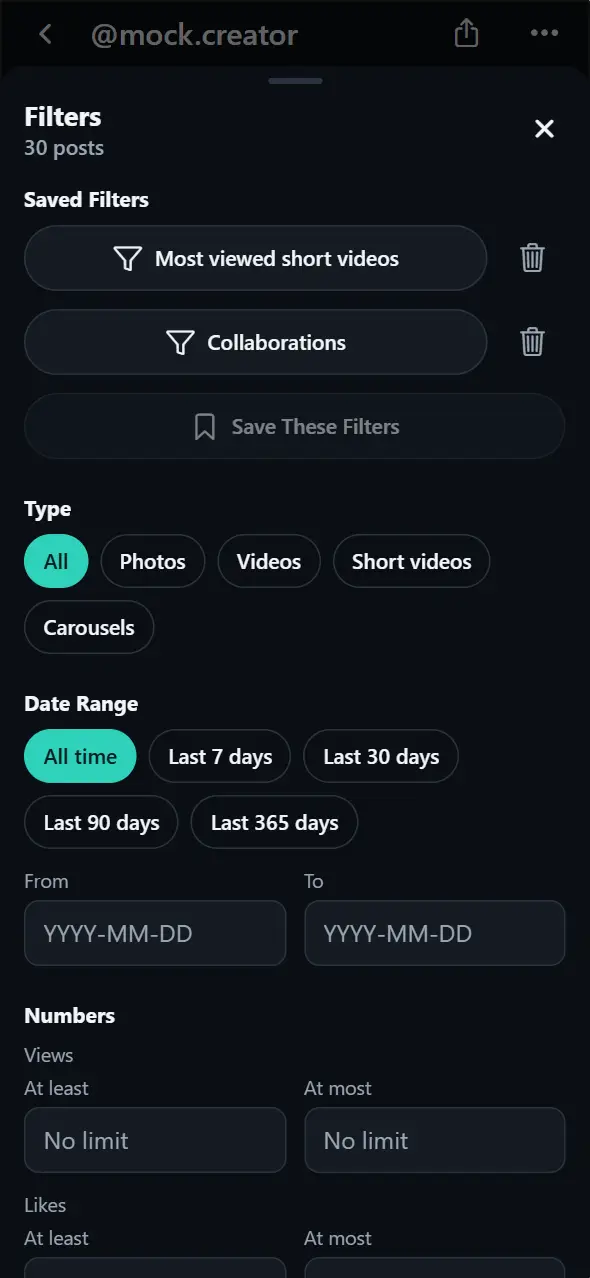
Open a post with its numbers next to it, shown through the platform’s own player. Narrow the list by views, video length, sponsorship, sound, place, hashtag or topic, and save the filters you use often.

  • A saved filter works on every profile.
  • On Business, export the filtered list as Excel or CSV: numbers and links only.
The filter panel: saved filters, post types, a date range and limits for views, likes and comments.

Growth over time

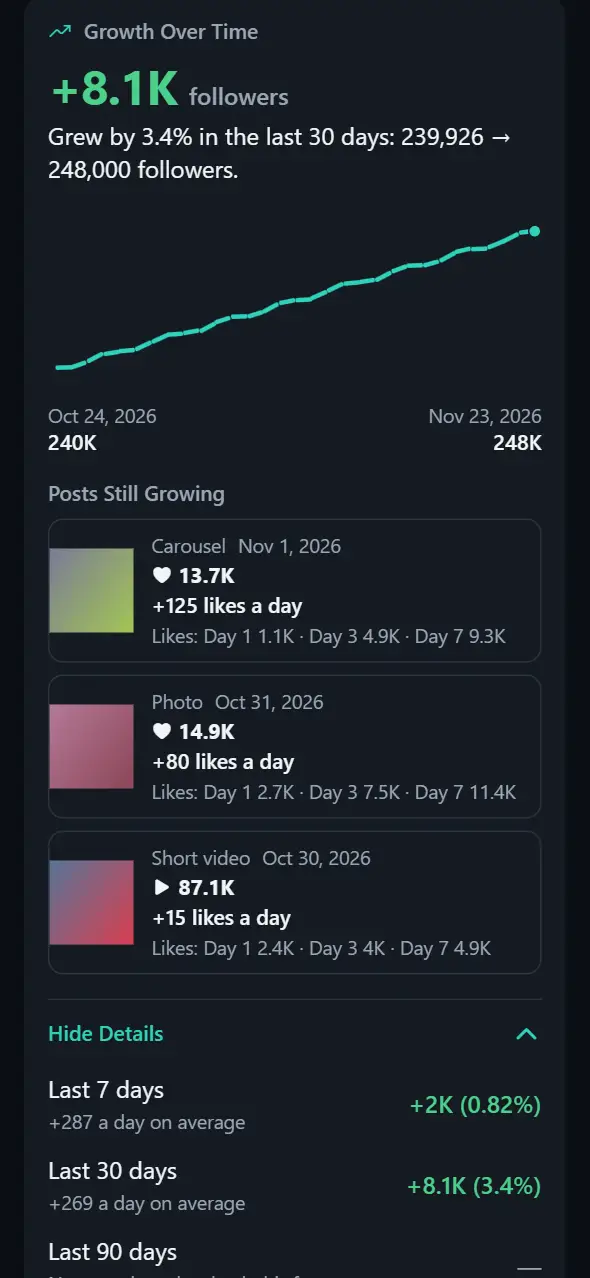
Watch a profile and its follower count is recorded every day. See the change over 7, 30 and 90 days, the pace of posting, and which posts are still growing a week after they went up.

  • A watchlist of 10 profiles on Pro and 50 on Business, plus your own account.
  • An alert when a post on a watched profile takes off.
The growth card: followers gained in the last 30 days, the daily average, and what three posts had reached one, three and seven days after publishing.

Compare two accounts

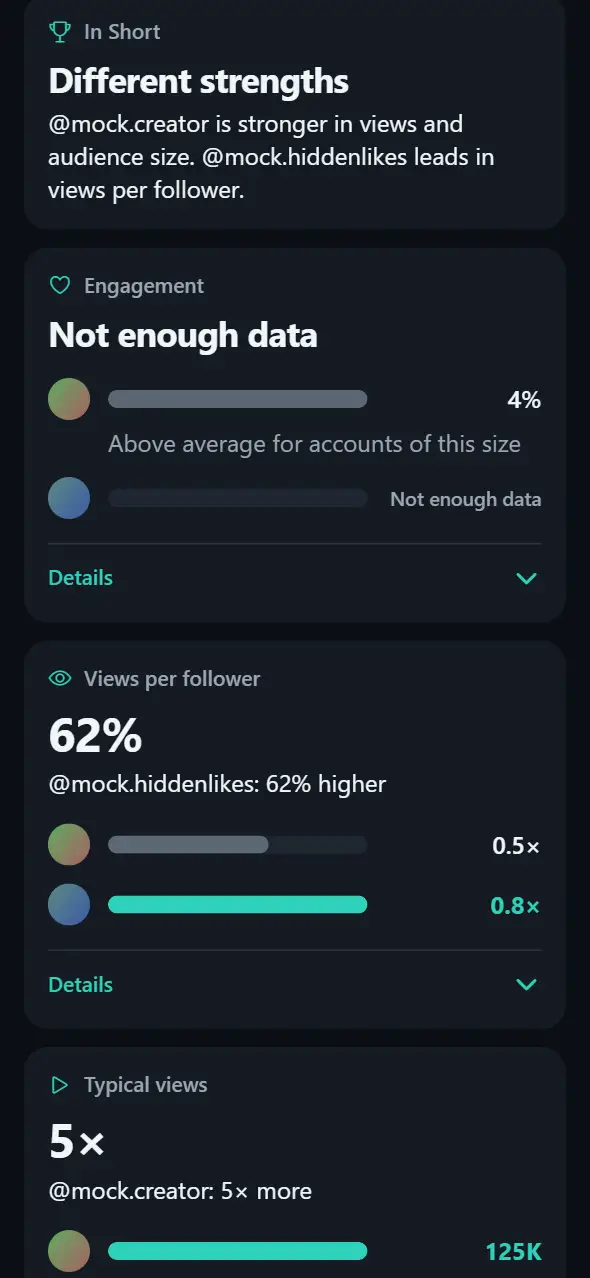
Two accounts side by side on the numbers that matter, with the verdict in one sentence. When one audience is far bigger, only numbers per follower decide.

  • Engagement, views per follower, typical views, followers and growth.
  • Up to five accounts at once on Business.
A comparison of two accounts: a one-sentence verdict, then bars for engagement, views per follower and typical views.

Who tags the account, and who is like it

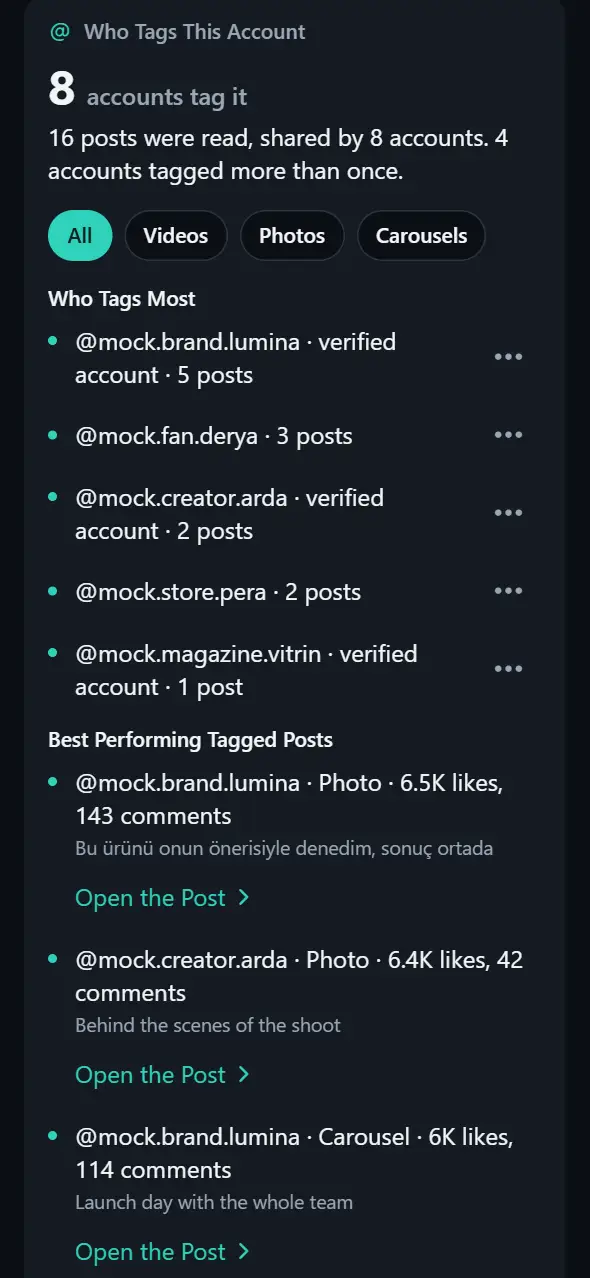
See which brands and creators tag an account in their own posts, how often, and how those posts do. Next to it: the accounts the platform itself suggests as similar, one tap away.

  • “Who tags” is an extra for 1 credit: the 50 newest public posts that tag the account.
  • Similar accounts come free with every analysis.
The “who tags” card of a profile: how many accounts tag it, the ones that tag most, and the best performing posts that tag it.

The Business panel for agencies and brands

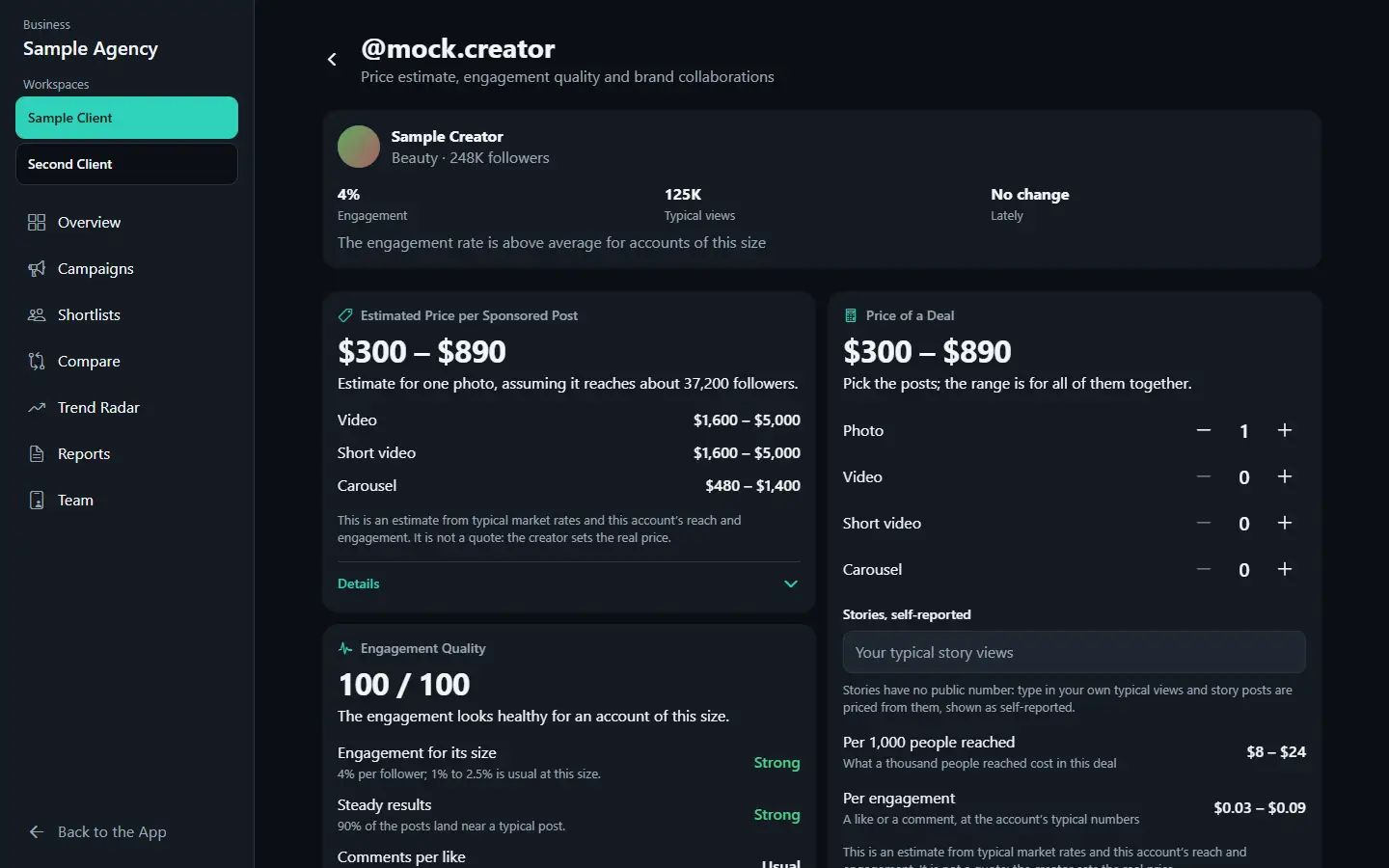
One place for your team and every client: workspaces, campaign reports, shortlists of accounts with your notes, and a report on every account you consider.

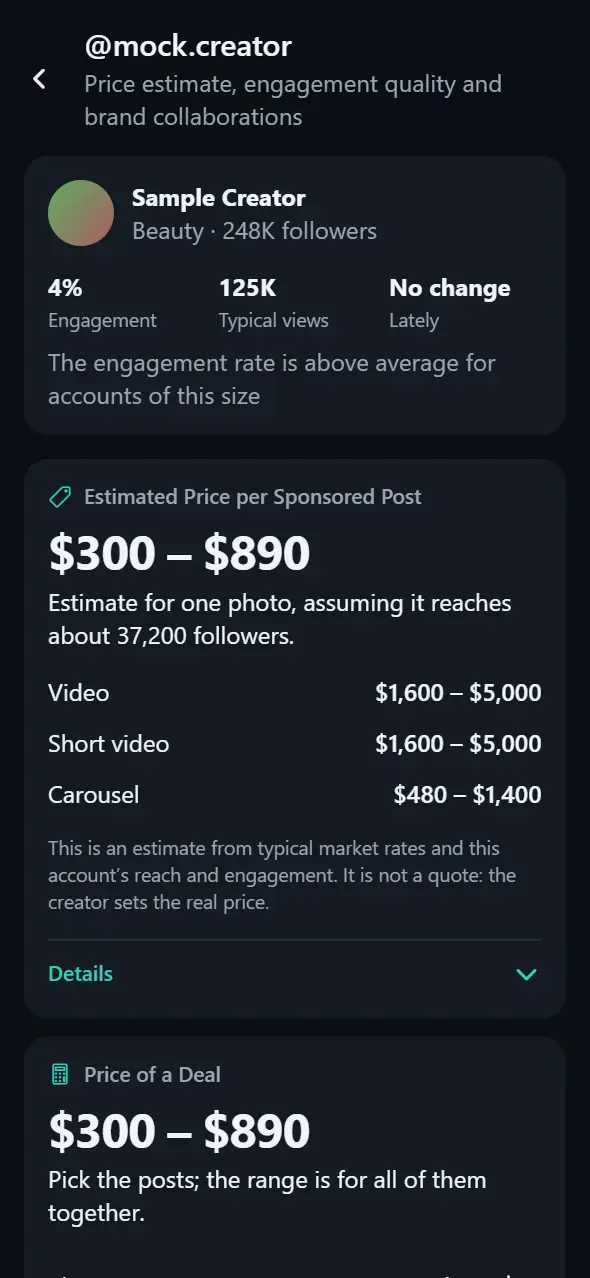
  • A price estimate for a sponsored post, engagement quality and brand collaborations of any account.
  • Media kits and scheduled email reports with your own logo.
  • A trend radar for your niche, five seats, Excel and CSV export.
The Business panel on a desktop: the report of an account with a price estimate per sponsored post, its engagement quality and its brand collaborations.
The Business panel on a phone: the report of an account with a price estimate per sponsored post and its engagement quality.

A card worth sharing

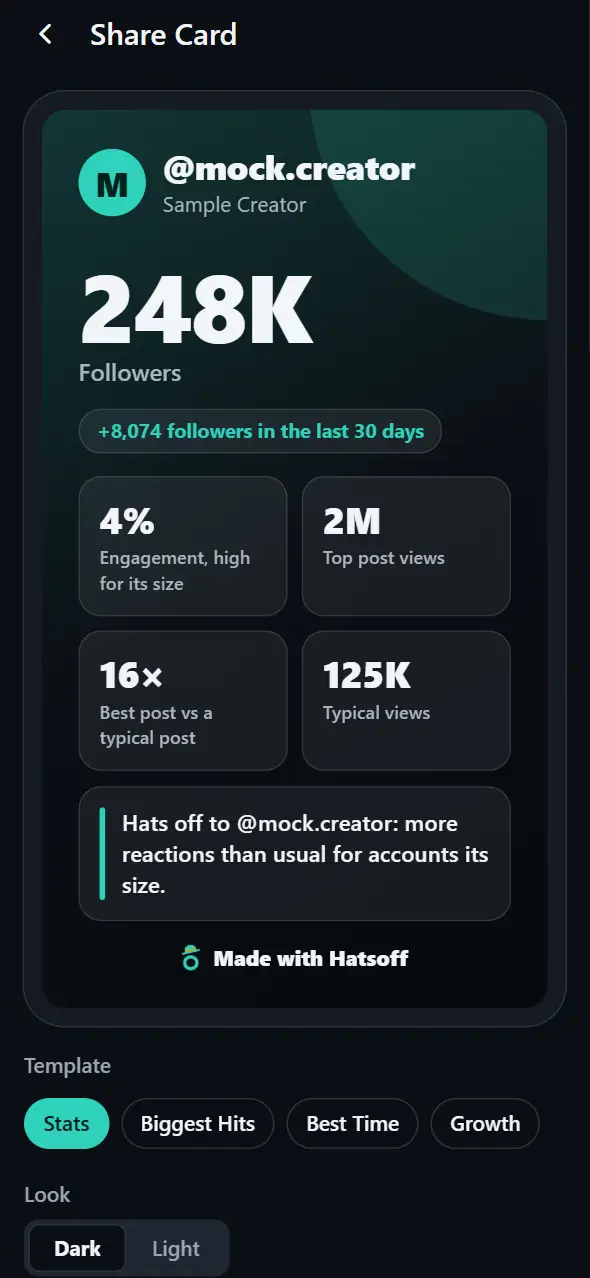
Turn a profile’s numbers into a story-sized card: key stats, the biggest hits, the best time, growth, or two accounts side by side. Numbers and public names only, never a picture of the profile.

A share card in story format with the follower count of a profile and four key numbers.

Plans

Start free. Creator is the weekly loop for your own account: what works this week, what to post and who pays. Pro adds scale and earning money; Business adds clients and teams.

Free

$0 a month

To look up a few profiles

  • 3 look-ups a month, the latest 30 posts
  • The full report of your own account, once
  • This week’s 3 strongest posts in your niche
  • Last week’s numbers of your own account
  • Sample analyses and compare with a friend
  • Share cards with the Hatsoff mark
Coming soon

Creator

$9.99 a month

For your own account

  • Every Monday: your week, best times, three ideas and one experiment
  • What took off this week in your niche and on your watchlist
  • The 5 brands that pay creators like you most
  • 12 reports a month, 100 posts deep, every answer of the report card
  • Your own account tracked every day; compare two accounts, a watchlist of 5
  • Analytics, AI summary, post ideas and best first lines
  • Ask about an account: 50 questions a month
Coming soon

Business

$99 a month

For agencies and brand teams

  • The weekly plan and the brand radar for each client, with a sheet to hand over
  • 150 reports a month, shared by 5 seats
  • Everything in Pro, with 300 questions a month
  • Workspaces for each client
  • Campaign reports and shortlists with notes
  • Scheduled email reports with your logo
  • Compare up to 5 accounts, a watchlist of 50, Excel and CSV export
Coming soon

Prices in US dollars; in an app store they can differ by country. Yearly: Creator $59.99, Pro $199.99, Business $990. Report packs without a subscription: 3 for $2.99, 10 for $7.99, 30 for $19.99, and they never expire. A report is one profile with everything about it (the latest 100 posts, the report card, the AI summary and analytics), open for 30 days.

Questions

Where do the numbers come from?

From what a profile shows publicly to everyone, and nothing else. Hatsoff never logs in to a social platform, never asks for a password, and cannot see private accounts or messages.

Do I need to give my password?

No. Hatsoff reads only what a profile shows to everyone. It never asks for the password of any social account, and it never logs in anywhere on your behalf.

What is a report, and what does it cost?

A report is the full analysis of one public account: its posts, its numbers, the report card and the AI insights. Your own account gets one for free; the plans and their prices are listed on this page.

What is not stored?

No pictures and no videos, only links to them. No names of people who liked or commented: comments and likes are counted, and when you ask for a comment analysis their text is read once and turned into counts and a short summary in our own words. No comment is kept or quoted, and nothing is attributed to a person. What is kept is what the profile shows publicly as text and numbers (its name and description, captions, counts), and what is worked out from them. A post itself is shown through the platform’s own player.

My profile was analyzed. Can I have it removed?

Yes, at any time and for free, without an account: use the “Remove my profile” page. Once the request is confirmed, the profile is blocked in every part of the service and everything saved for it is deleted.

How do I cancel a plan?

Where you bought it: a plan bought in the app is managed in your app store account, under Subscriptions. Deleting the app does not cancel it. A plan runs until the end of the period you paid for. More on the support page.

Is Hatsoff connected to a social platform?

No. Hatsoff is an independent analytics app and is not affiliated with, endorsed by or connected to any social platform.

Built on public data only

  • Only information that a profile has made public. No private accounts, no logins, no messages.
  • No pictures or videos are stored: only links to them, public text and numbers.
  • Comments are counted or summed up in our own words: never quoted, never attributed to a person.
  • Profile owners can ask to be excluded at any time.